
Learn any song off the record.
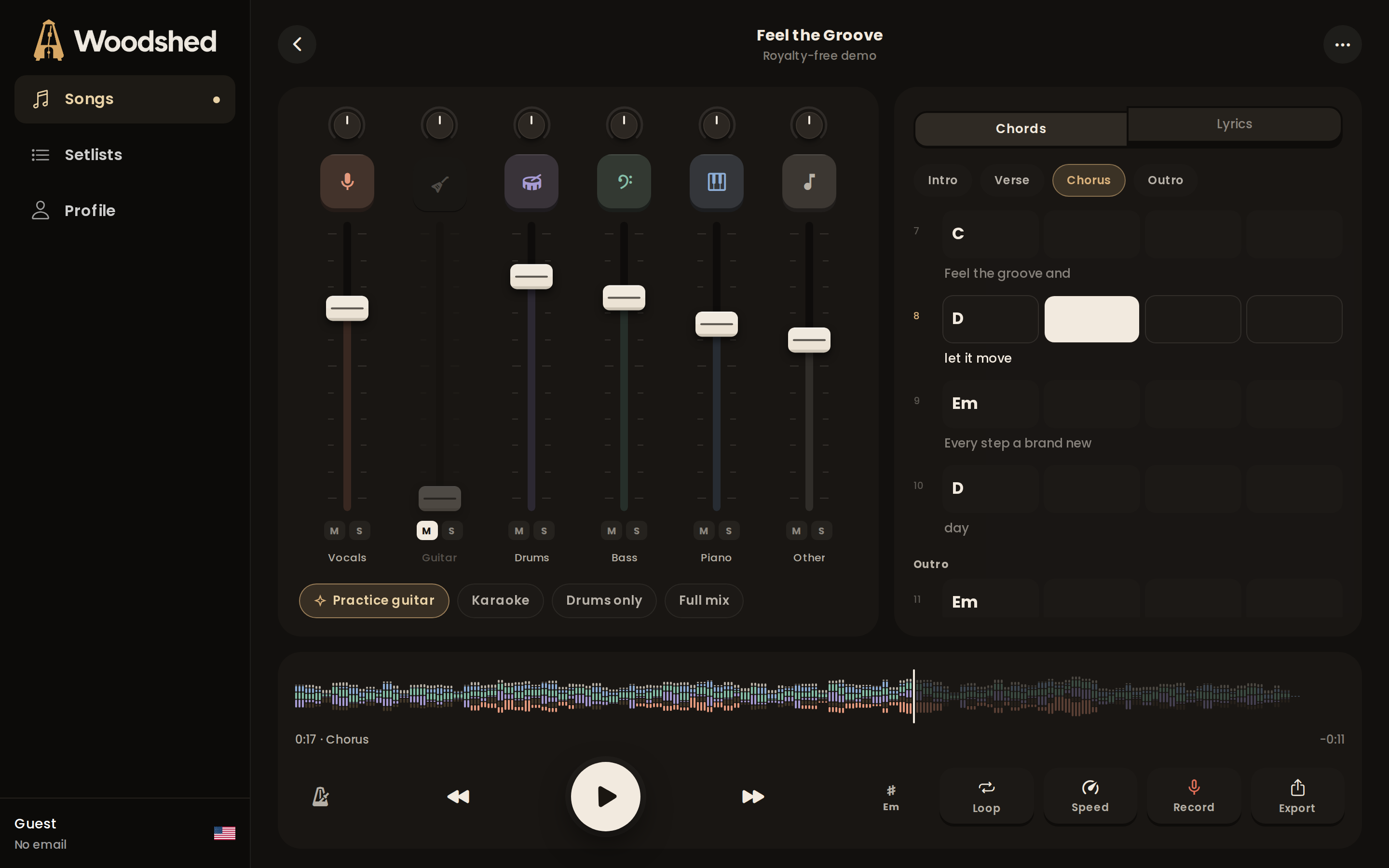
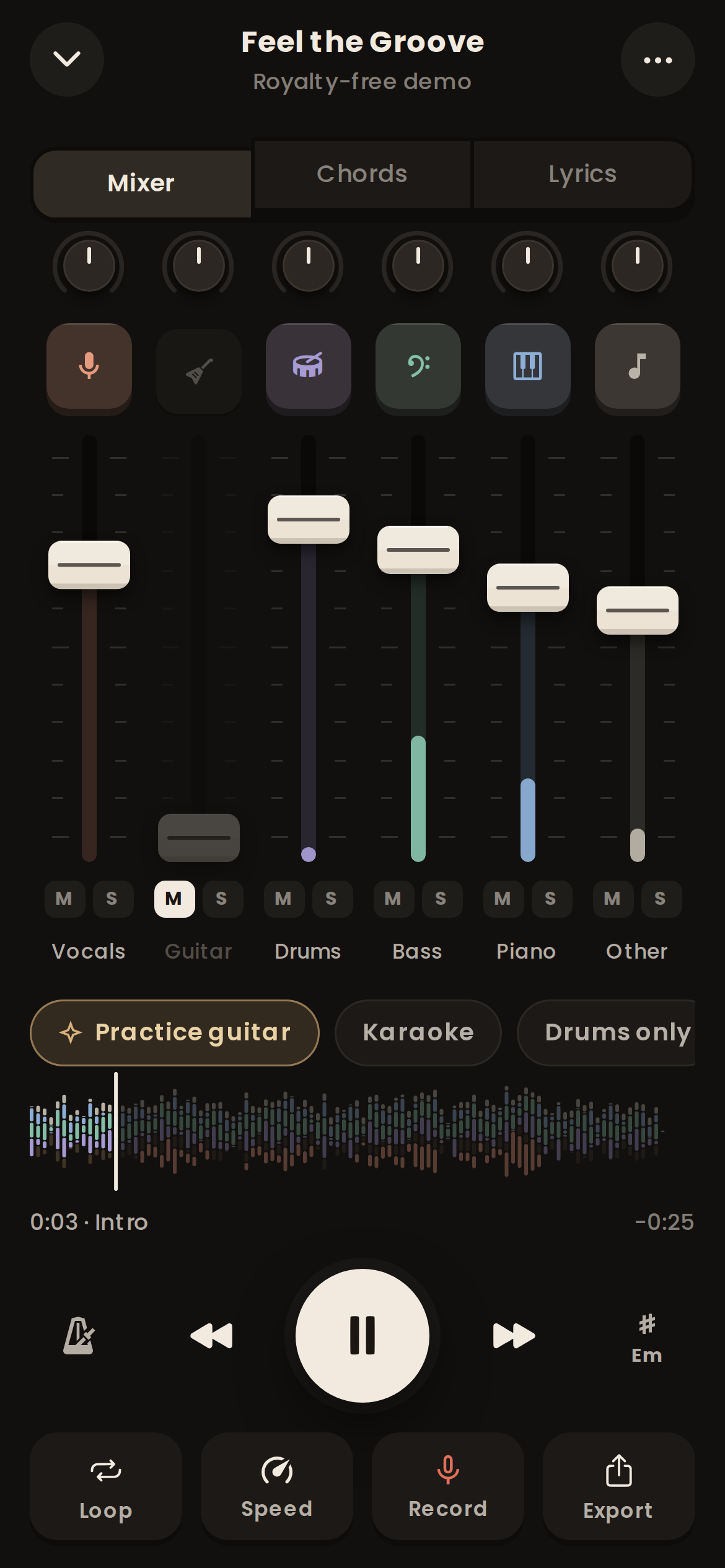
Drop in the track and Woodshed splits it into vocals, guitar, bass, drums, piano and the rest. Mute your part, slow the hard bit down without the pitch moving, and play along with the real band until it is yours.
The song is on Friday. You have tonight.
Woodshed is for the evenings between hearing a song and playing it in front of people.
Learn the solo before Friday
Loop the four bars you keep fluffing, drop them to 70% and let the speed trainer creep back up to full tempo a few percent at a time.
Rehearse the set without the band
Put the night in order, mute your part on every song and play the whole set through, in the keys and tempos you actually play them.
Work out the part by ear
Solo the stem you are learning, slow it right down and read the chords bar by bar. Ghost notes and slides the full mix hides become obvious.
Sing it in your key
Drop the song a tone or two without changing its speed, pull the original vocal down to a guide and follow the lyrics as they scroll.
Mute your part. Keep the band.
Every stem gets its own channel strip with a fader, pan, mute and solo. Pull the guitar out and you are the guitarist. Solo the bass to hear what the record is really doing under the vocal.
- Up to 6 stems per song
- Fader, pan, mute and solo per stem
- Live meters so you can see who is playing
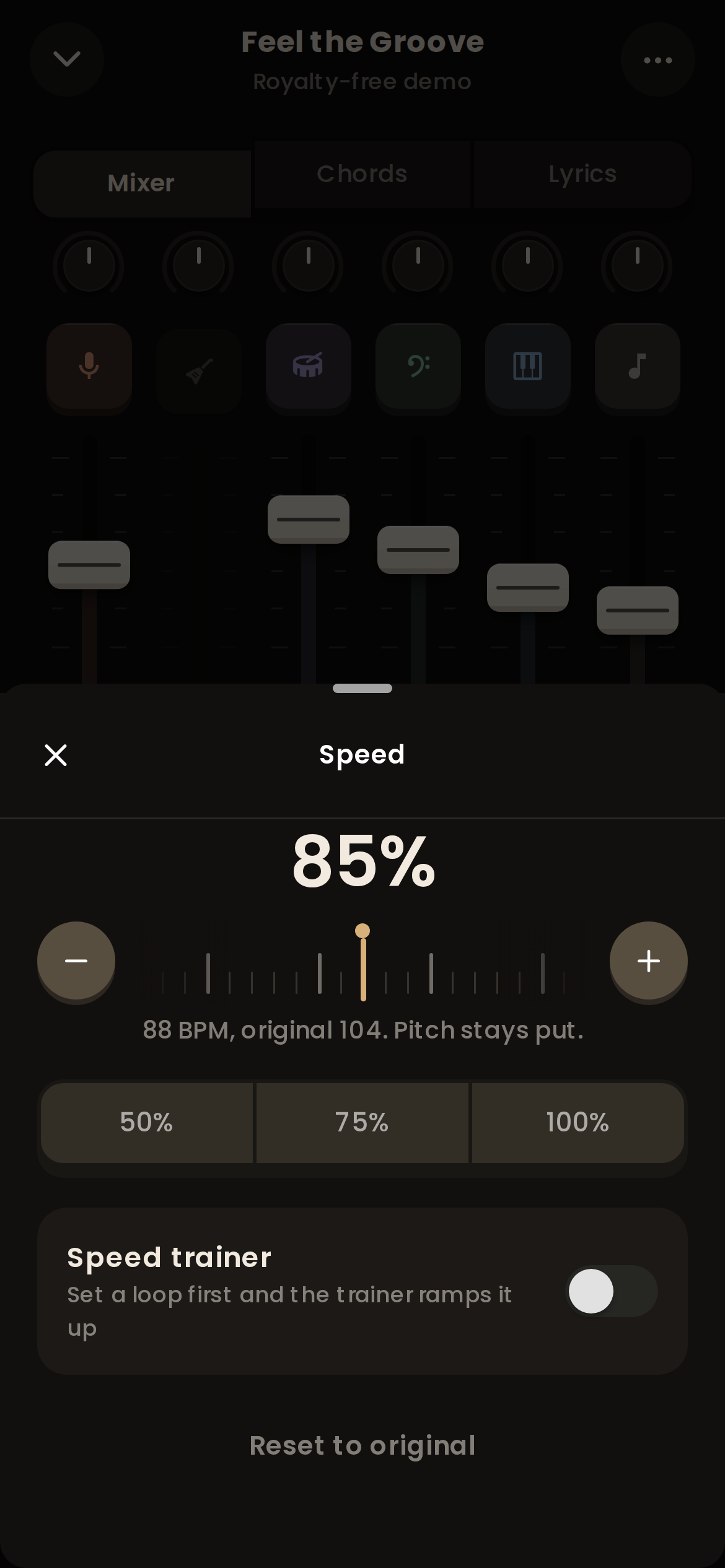
Slow it down. The pitch stays put.
Drop a fast solo to 60% and it still sounds in tune, so you learn the real notes, not a dragged-out guess. Shift the key to suit your voice, or let the capo helper tell you where to clamp.
- Speed from 25% to 150% in 5% steps
- Key up or down 6 semitones, with a capo helper
- Speed trainer nudges a loop faster each pass
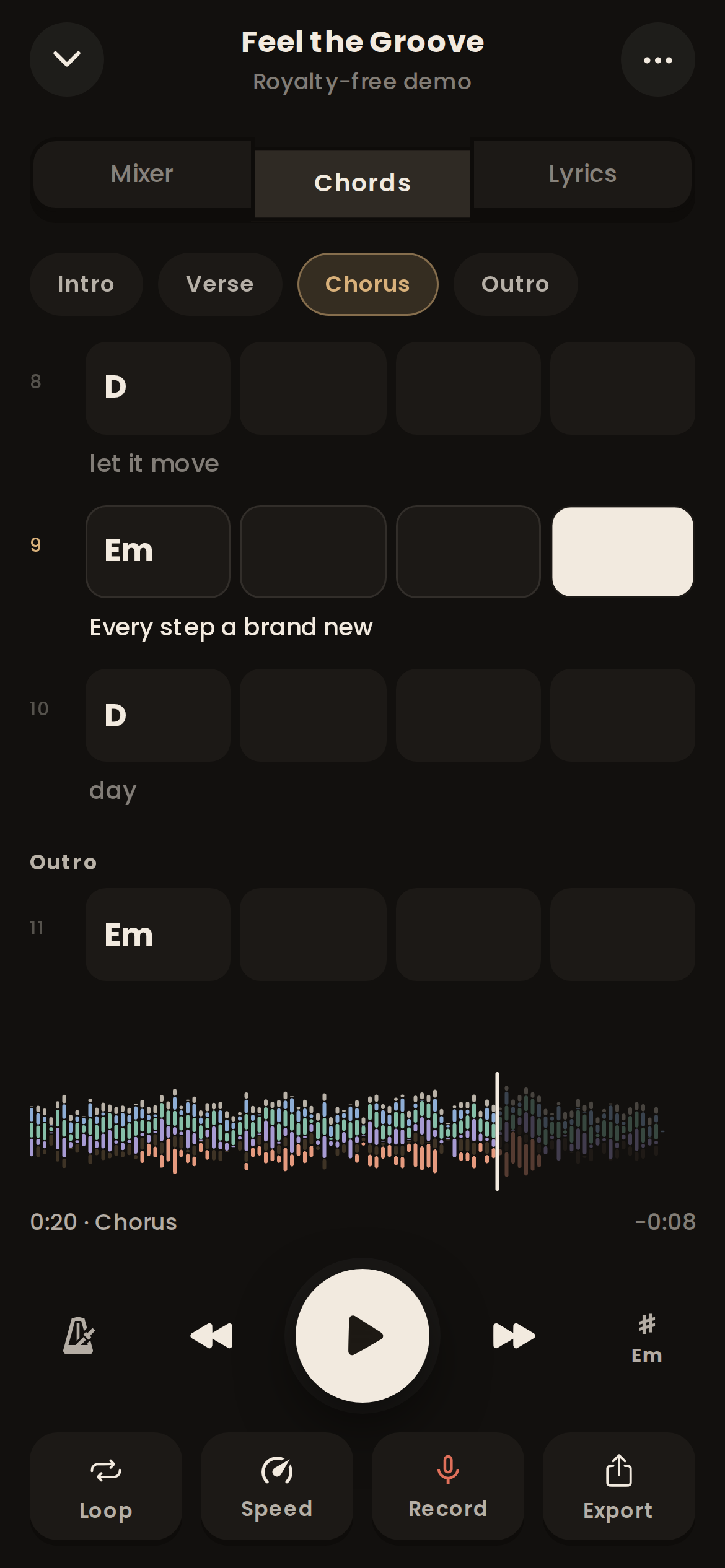
Chords in time, lyrics in sync.
Woodshed detects the chords from the separated stems and lays them out bar by bar, with the lyrics scrolling underneath as the song plays. Tap any bar to jump there.
- Bar-by-bar chord grid
- Chords and sections with Premium, synced lyrics with Pro
- Detected key and tempo for every song
One import. Five ways in.
Play the part, not along with it
- Mute the guitar stem and play over the real rhythm section
- Slow a solo to 60% and it stays in tune
- Chord grid with a capo helper when you change key
Hear what the bass is really doing
- Solo the bass line that is buried under the guitars
- Every root note lines up with the chord grid
- Mute it and lock in with the kick drum
A drumless track for any song
- Mute the kit and play the groove yourself
- A click placed on the band's own beats, so it drifts with them
- Kick, snare, toms and cymbals on their own with Pro
Your voice over the real band
- Take the lead vocal out, or keep it low as a guide
- Change the key to suit your range
- Lyrics scroll in time with the song on Pro
Pick out the voicings
- Six-stem split puts the piano on its own track
- Slow it down to catch every inversion
- Chords shown bar by bar, sevenths and suspensions included
Tuesday night, one chorus.
What forty minutes with Woodshed looks like when there is a gig on Friday and one chorus you cannot play yet.
- 7:02pm
Drop in the track
The MP3 from your phone, or the rehearsal recording the band shared.
- 7:04pm
Stems are ready
Tap the guitar to mute it. The band carries on without you.
- 7:05pm
Loop the hard bit
Tap the chorus, set the loop to bars 17 to 24, drop the speed to 70%.
- 7:30pm
Back up to tempo
The speed trainer has nudged you up to 100% one pass at a time.
- 7:40pm
Record a take
Play it through over the band and listen back. Keep the one that landed.
- 7:45pm
Into the setlist
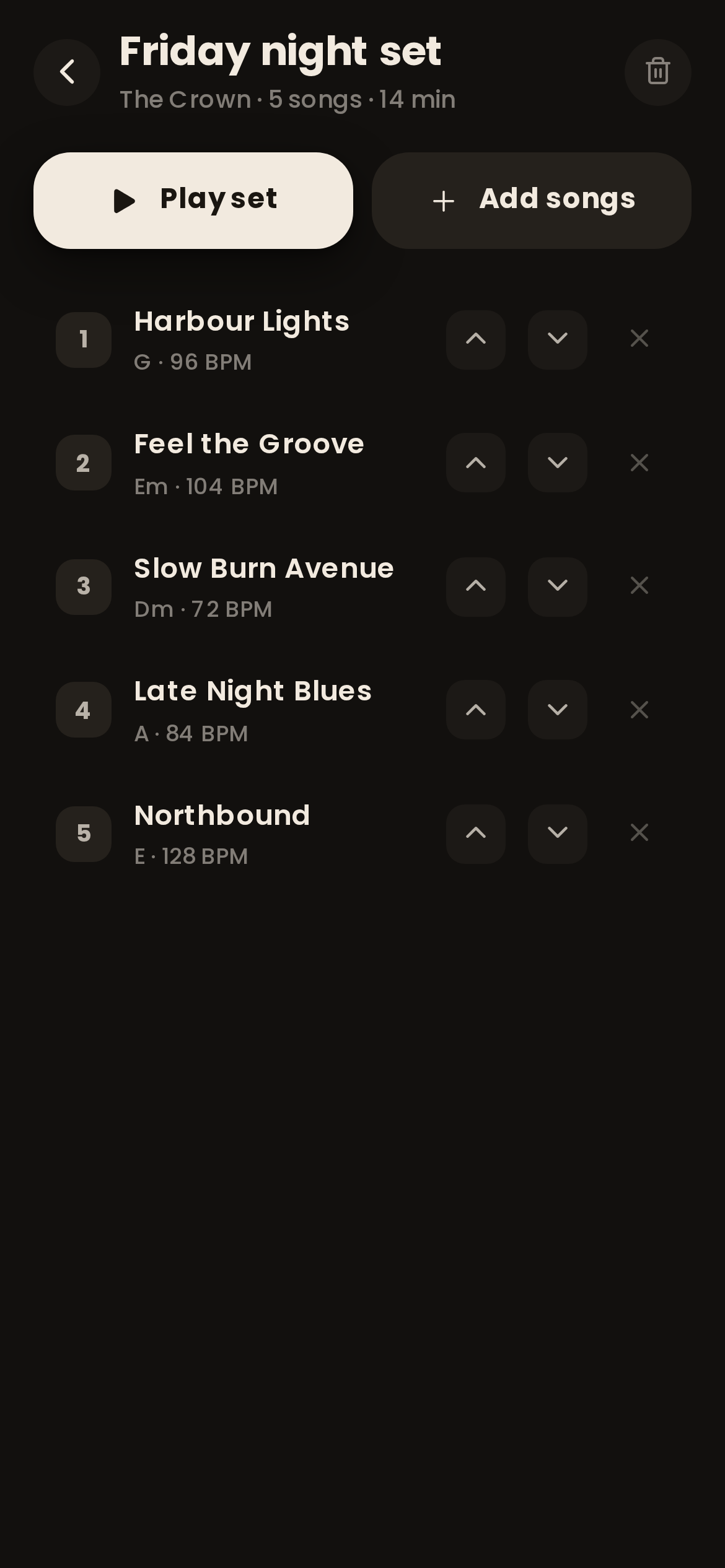
Add it to Friday's set at the key and tempo you play it.
Built for the hours in between.
The tools you reach for when you are actually learning a song, not just listening to it.
Setlists for the gig
With Premium, put the night in order, set each song to the key and tempo you play it at, and run the whole set from one screen.
A-B loop and sections
Woodshed finds the intro, verses, choruses and bridge. Tap a section to loop it, or set your own A and B points down to the beat.
A metronome that follows the band
Real bands drift. The smart click is placed on the beats Woodshed found in the recording, so it stays with the song instead of fighting it. Count-in included.
Record takes over the track
With Premium, hit record and play your part over the stems. Listen back, compare takes, and keep the one that finally landed.
Export mixes and stems
Take a drumless backing track to rehearsal with Premium, or send the isolated bass to your student with Pro. WAV, FLAC and M4A, with or without the click.
Drum parts, one by one
With Pro, the drum stem splits again into kick, snare, toms and cymbals, so a drummer can hear exactly what each limb is doing.
Free to start. Unlimited from $5 a month.
Every price is on this page. Limits are counted in songs, not minutes, and the paid plans have no song cap.
- 3 new songs a month, up to 5 minutes each
- Vocals, drums, bass and other, or a 2-track karaoke split
- Mixer desk with mute, solo, pan and faders
- Speed and key change without pitch drift
- A-B loop and a metronome
- Unlimited songs, up to 20 minutes each
- 6 stems: guitar and piano too
- Chord grid and song sections
- Smart metronome with count-in
- Setlists and recording takes
- Export the mix
- Everything in Premium
- Hi-Fi stems, our best quality separation
- Drum parts: kick, snare, toms and cymbals
- Synced lyrics on every song
- Export each stem as its own file
- Songs up to 60 minutes, priority processing
Straight answers.
How good are the stems, honestly?
Vocals, drums and bass come out clean on most studio recordings, clean enough to play along to without noticing. Guitar and piano are harder because they share the same frequencies, so you may hear a faint trace of one in the other. Live recordings, heavy reverb and very distorted guitars leave more bleed. Hi-Fi mode on Pro uses a heavier model for the songs where it matters.
How many songs do I get?
Free gives you 3 new songs a month, up to 5 minutes each. Premium and Pro have no monthly limit: import as many songs as you like, up to 20 minutes each on Premium and 60 minutes on Pro. Songs you have already split stay in your library on every plan.
Does it work in my browser?
Yes. Woodshed runs in a modern browser on a laptop, tablet or phone, with nothing to install. iOS and Android apps are coming and will use the same account.
What happens to the songs I upload?
They stay private to your account. We process them only so you can practise with them. We never publish them, never share them and never use them to train AI models. Delete a song and its stems go with it.
Can I cancel any time?
Yes, from your account. You keep your plan until the end of the period you paid for. On a yearly plan, cancel during the 7-day trial and you are not charged at all.
What files can I import?
MP3, WAV, FLAC, OGG, AAC, M4A and ALAC audio, plus MP4 and MOV video, where Woodshed uses the soundtrack. A rehearsal recording from your phone works too.
How long does a split take?
Usually a minute or two for a normal-length song, so it is ready by the time your guitar is in tune. Hi-Fi stems take about four times longer. You can close the tab while it works.

Go to the woodshed.
woodshedding (n.) practising alone, over and over, until the hard part is yours.
Your first split is ready in about two minutes